Product walkthrough

Take a closer look at the work.

Explore real Banto screens with fictional demo data, without signing in.

Hotels & inns Vacation rentals

Hotels & inns

Start with the rooms, check the day, then look at the assigned work. These are screen examples, not a live operation or a connected transaction demo.
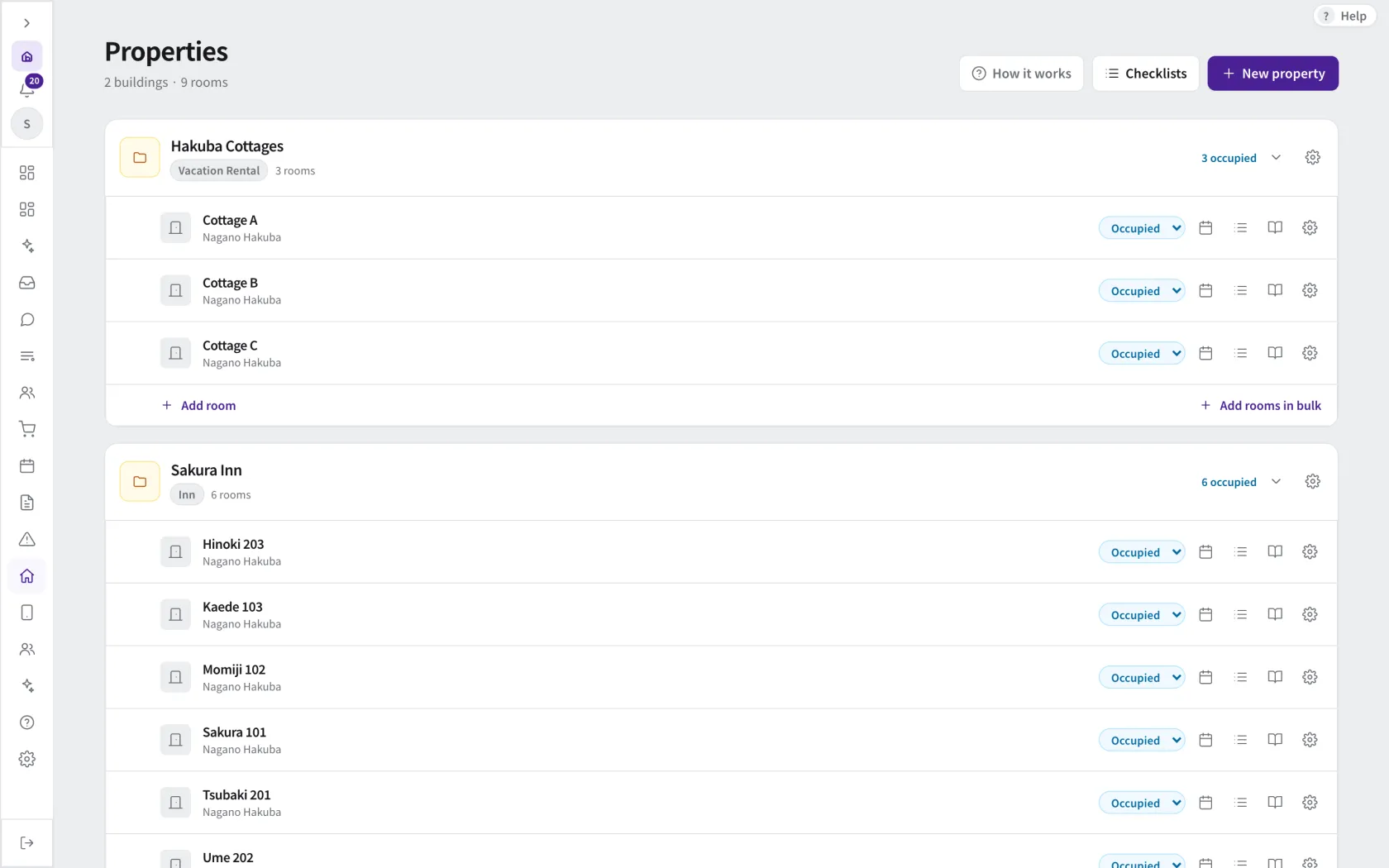
01 — See rooms and their status
01 — See rooms and their status · Demo data. Open image to enlarge.
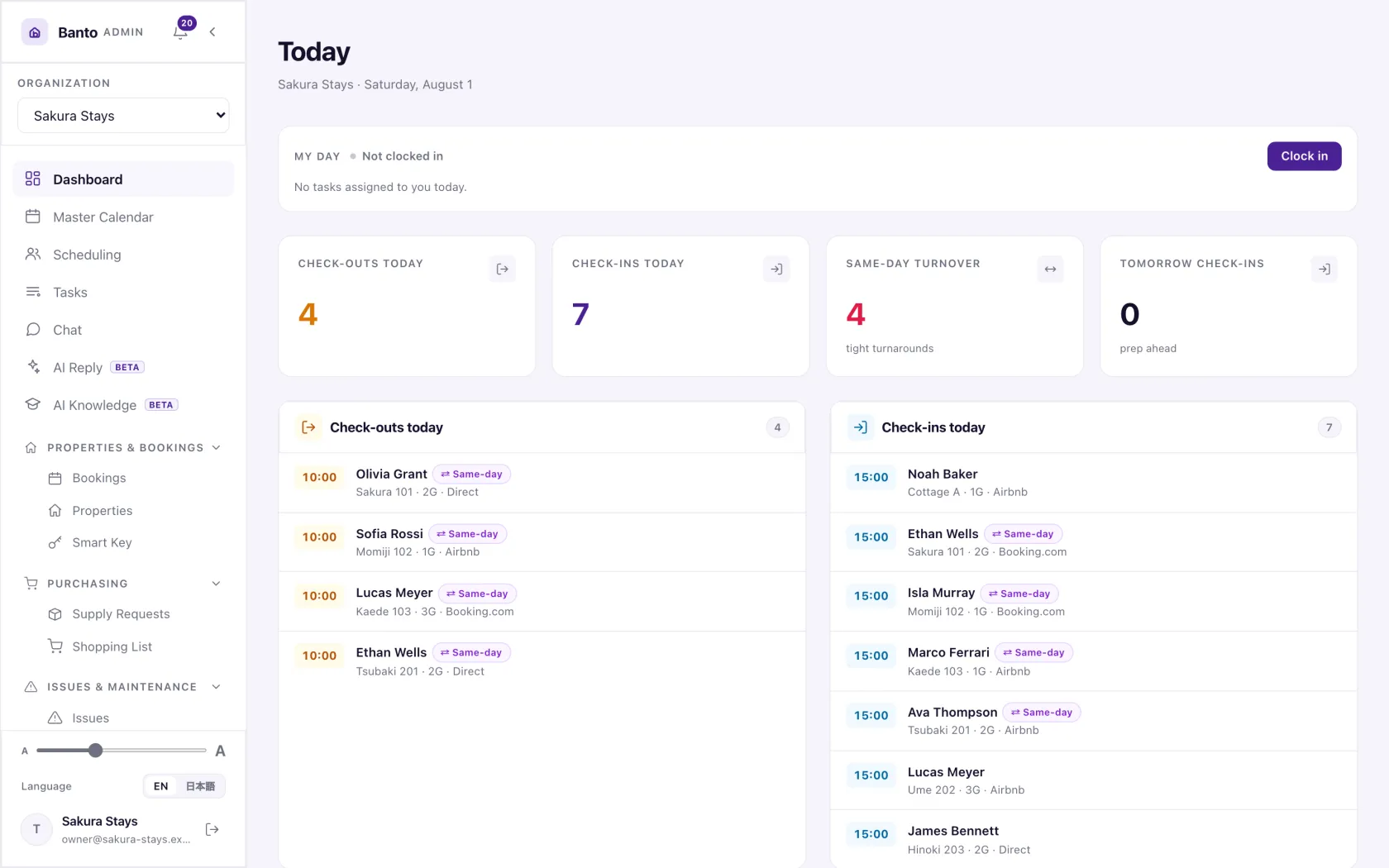
02 — Review arrivals and departures
02 — Review arrivals and departures · Demo data. Open image to enlarge.
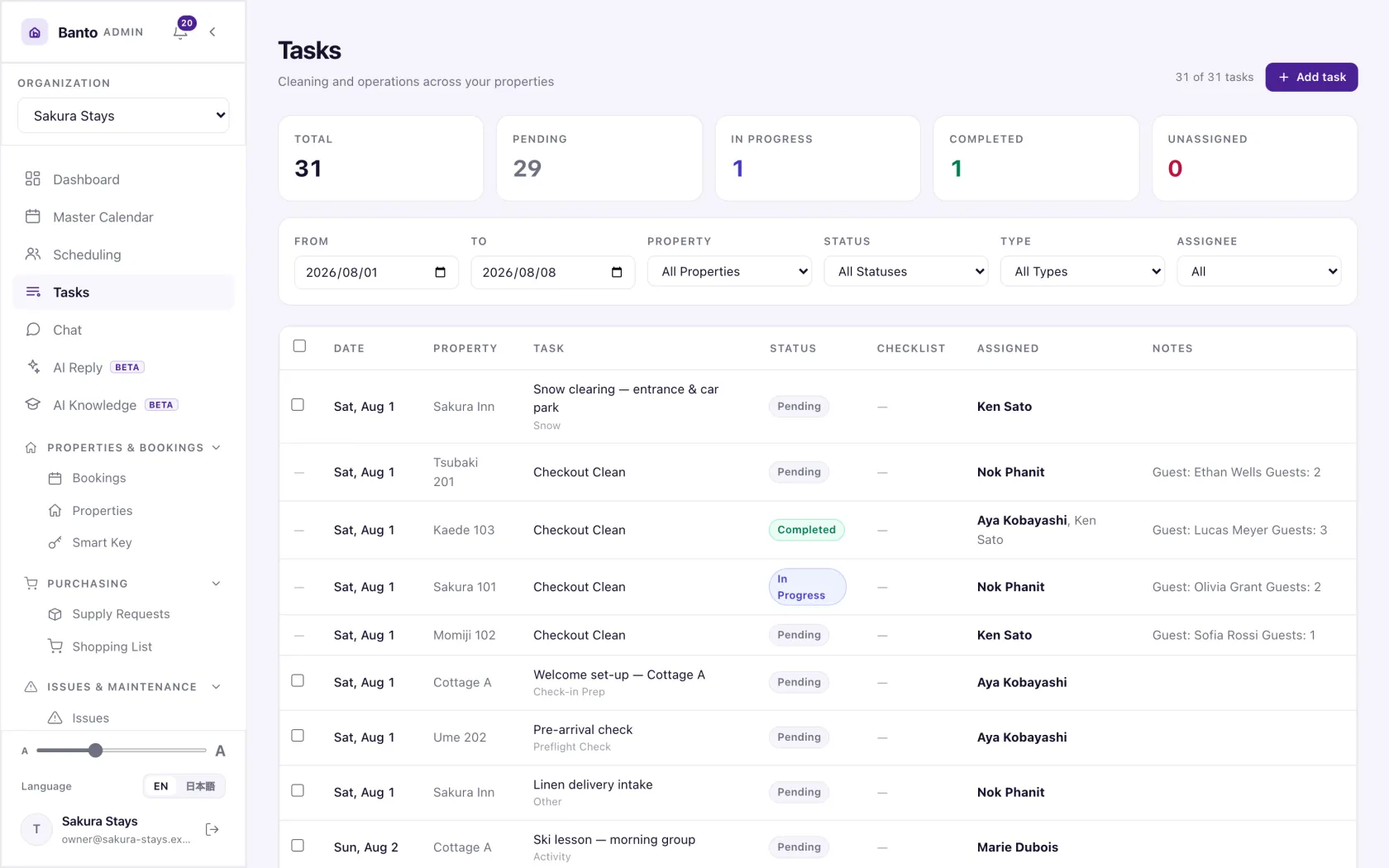
03 — Review the work and assignments
03 — Review the work and assignments · Demo data. Open image to enlarge.

Vacation rentals

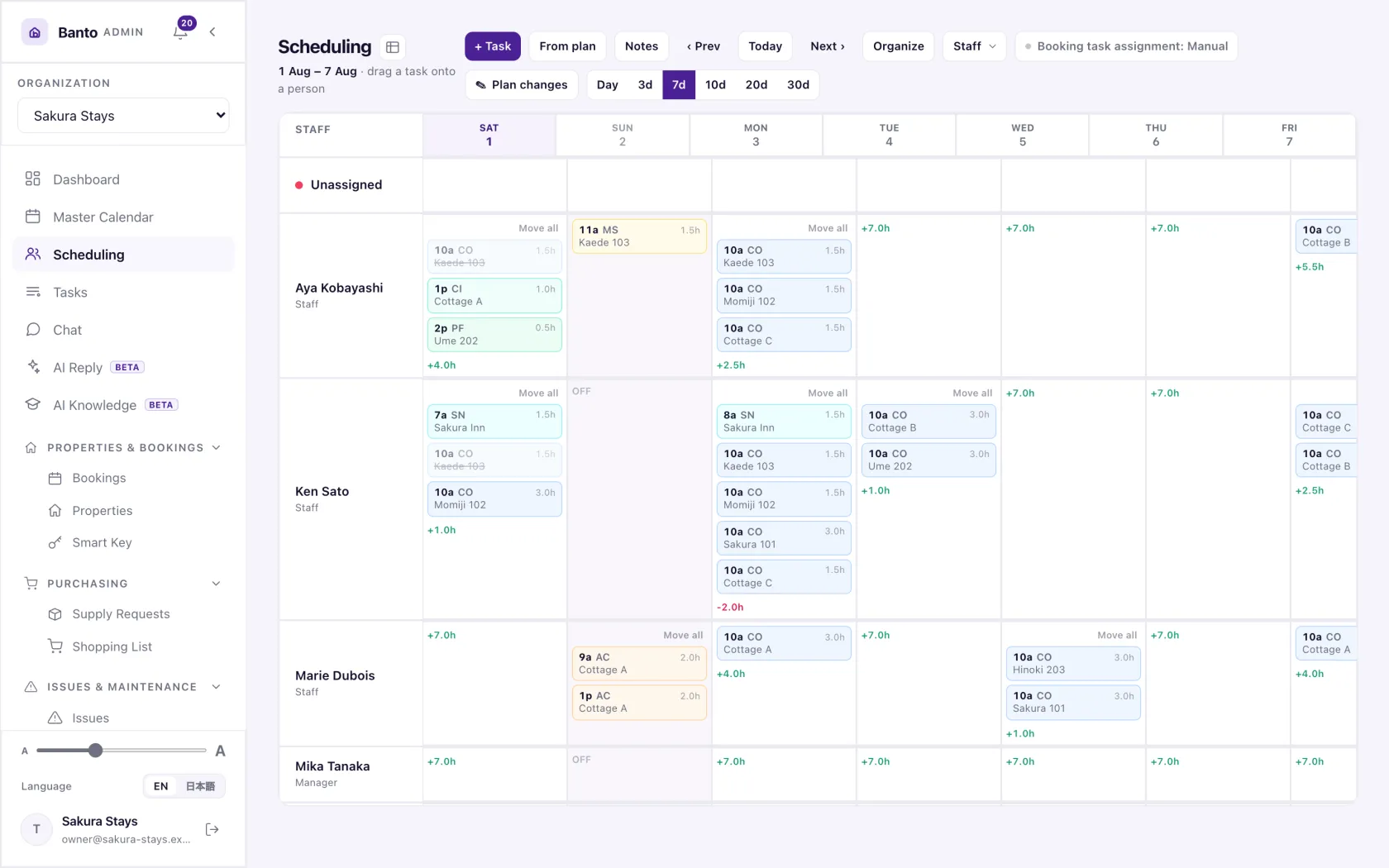
Look across properties, coordinate the team and check the work instructions. All shown people and bookings belong to fictional demo data.
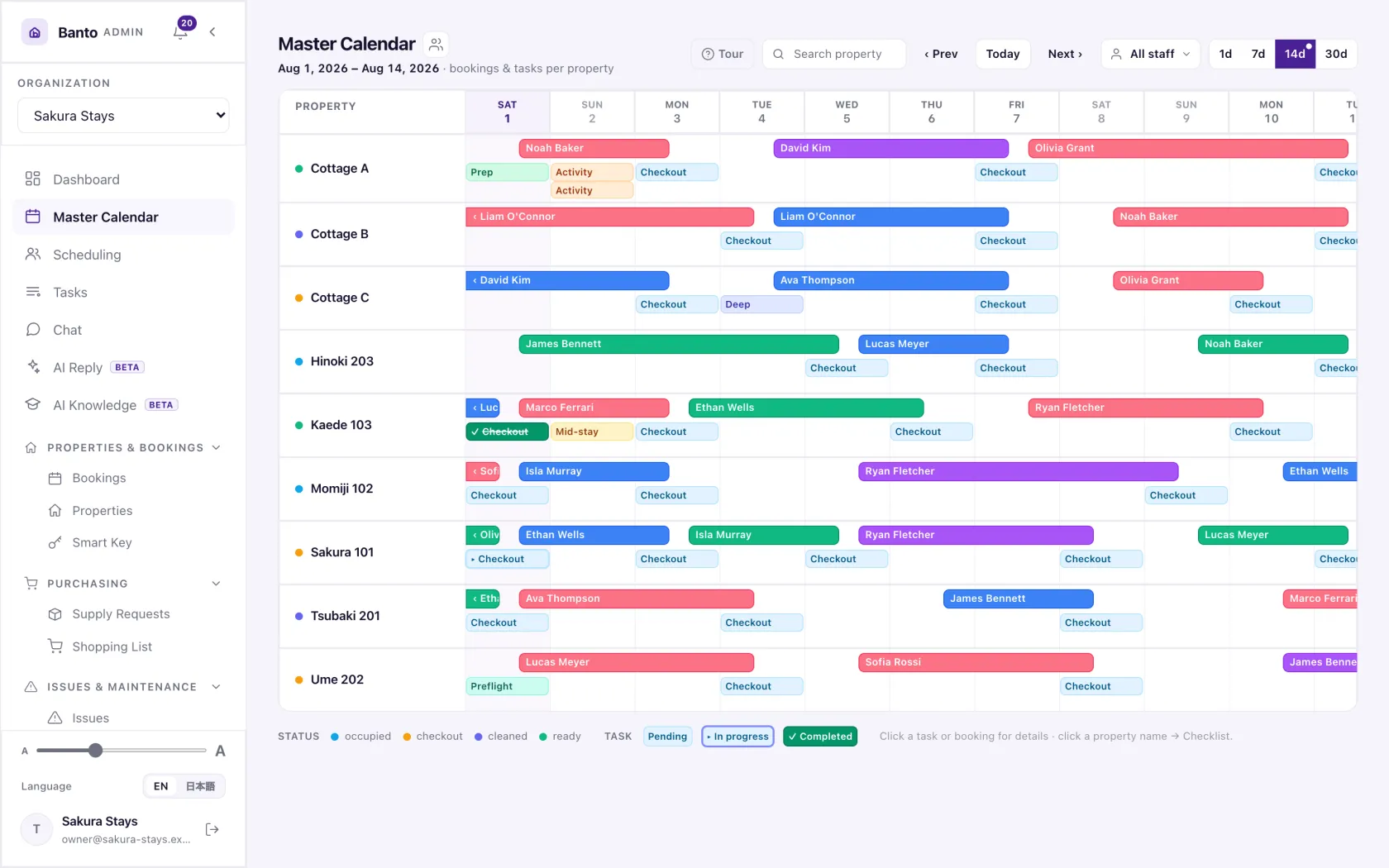
01 — View the property schedule
01 — View the property schedule · Demo data. Open image to enlarge.
02 — Coordinate staff and dates
02 — Coordinate staff and dates · Demo data. Open image to enlarge.
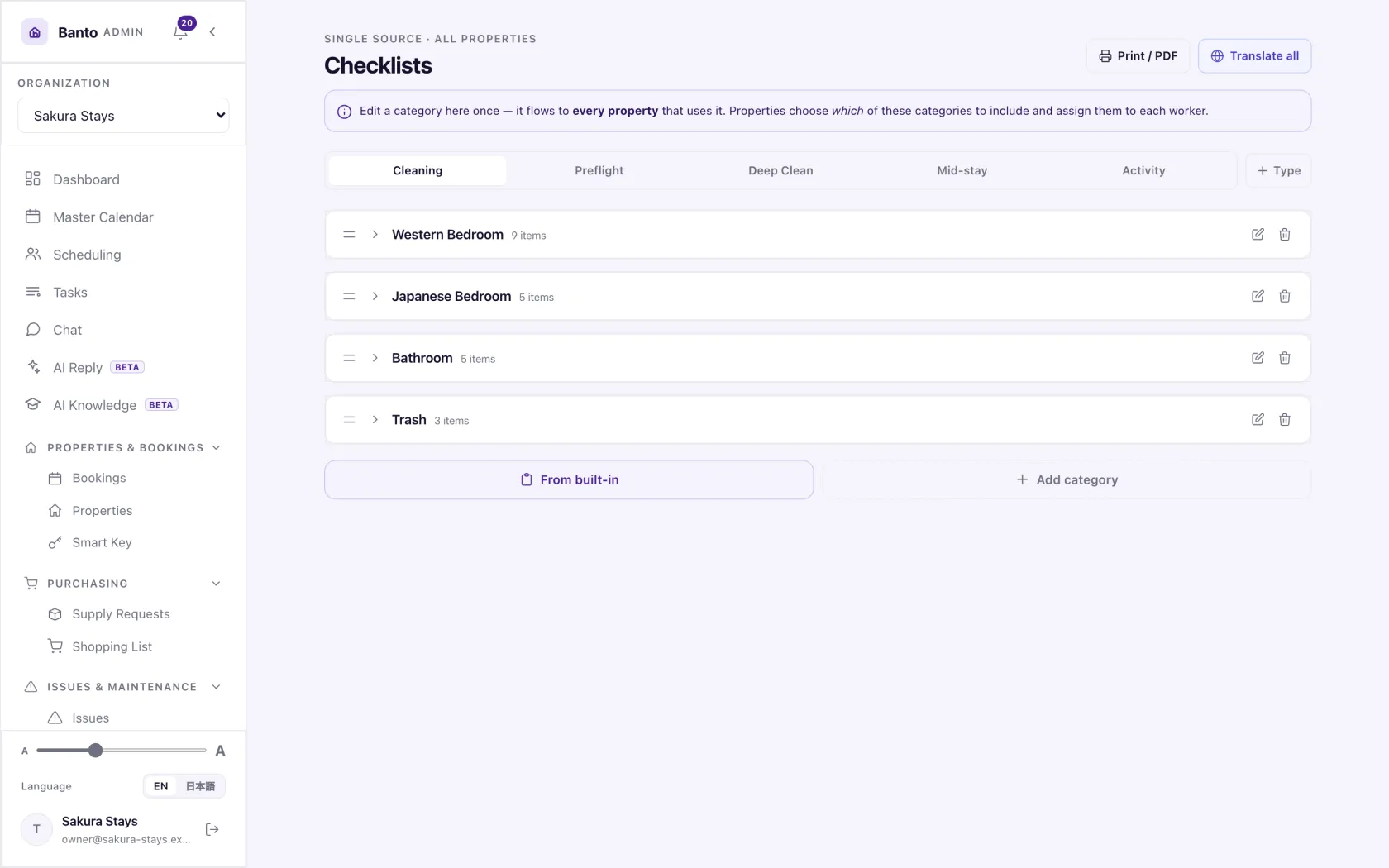
03 — Share the work standard
03 — Share the work standard · Demo data. Open image to enlarge.